> For the complete documentation index, see [llms.txt](https://quant-fun.gitbook.io/quant.fun-docs/llms.txt). Markdown versions of documentation pages are available by appending `.md` to page URLs; this page is available as [Markdown](https://quant-fun.gitbook.io/quant.fun-docs/user-tutorial/deposit-and-withdraw.md).
# Deposit and Withdraw
How to interact with strategies
## Deposit Assets
* Each vault accepts only one deposit asset, typically USDC.
* All gains and losses are in terms of the deposit asset. When you withdraw from a vault, you will receive back your due amount in that deposit asset.
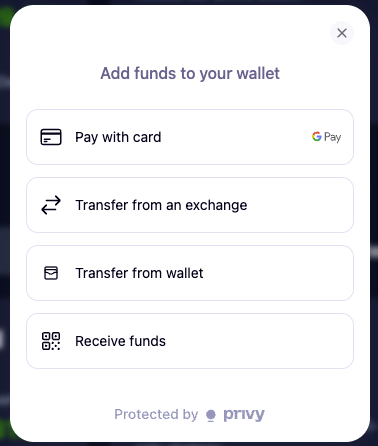
## Using Coinbase Onramp
* Use the "Fund Wallet" option once you've logged in via Privy.
* Follow the steps onscreen; you may be prompted by Coinbase to verify your account with them.
## Withdrawal Process
* When withdrawing from a vault, start by submitting a withdrawal request via our deposit/withdraw interface.
Submitting Withdrawal Request (Left) -- In Process Withdrawal Request (Right)
{% columns %}
{% column %}
{% endcolumn %}
{% column %}
{% endcolumn %}
{% endcolumns %}
{% hint style="info" %}
Some strategies will have a redemption delay of up to 5 days; your withdrawal will automatically complete once that delay passes.
{% endhint %}